Our vendor, InsightIn Health, experienced a privacy incident. Learn more about the incident.

Search for doctors near you
Going to an in-network doctor, specialist or facility may reduce your out-of-pocket medical expenses. That’s why we created a large network of primary care providers, specialists, hospitals, and clinics.
Below, is a step-by-step guide on how to use the Find a Provider tool to find in-network doctors and care options near you.
Getting Started
- Click the Find a Provider link or type "www.wellcarefindaprovider.com" into your internet browser.
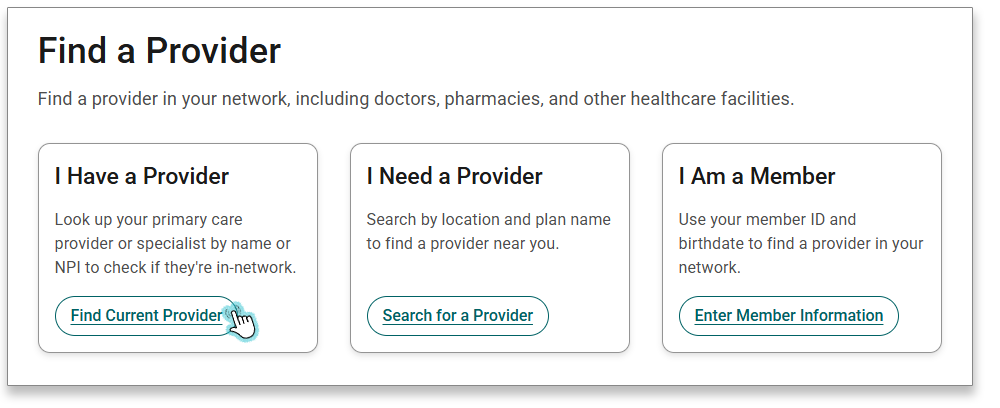
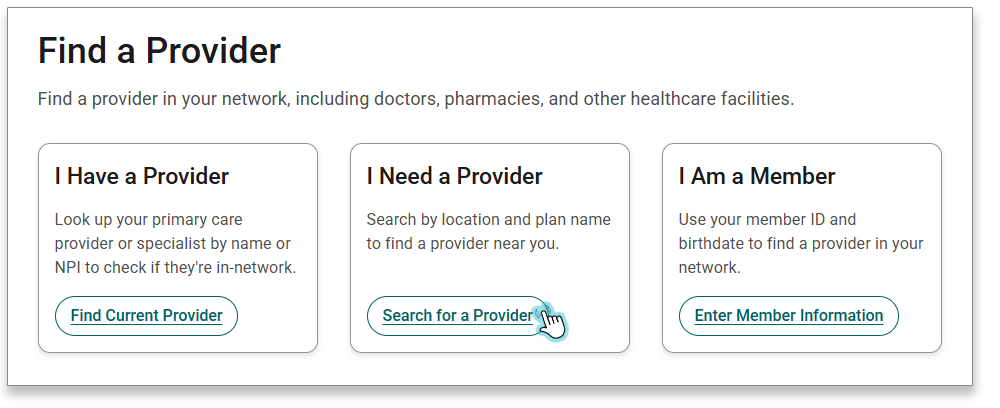
- Select one of the three options below:
I Have a Provider
Click this option if you already have a preferred doctor and want to check if they are in-network.
I Need a Provider
If you do not have a doctor or specialist, this option will help you find one close to home.
I Am a Member
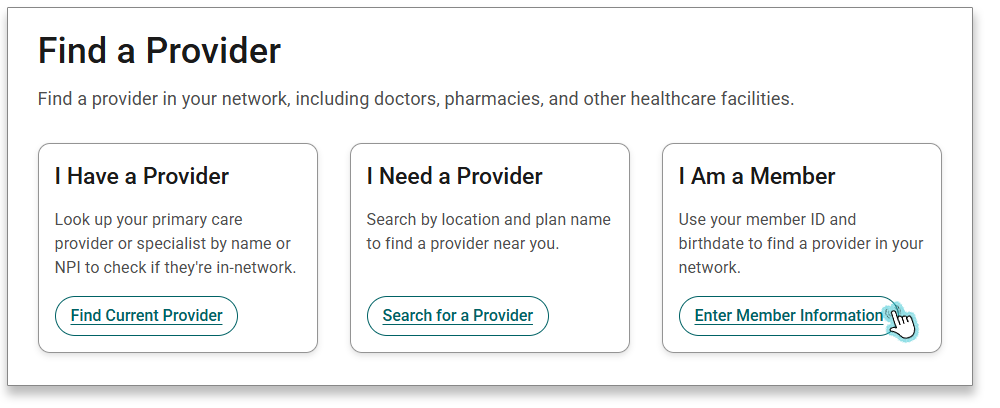
This option will ask for your Member ID and birthdate then use this information to pre-fill your location and plan in the Find a Provider search tool.
- Click the Find Current Provider button in the left card.
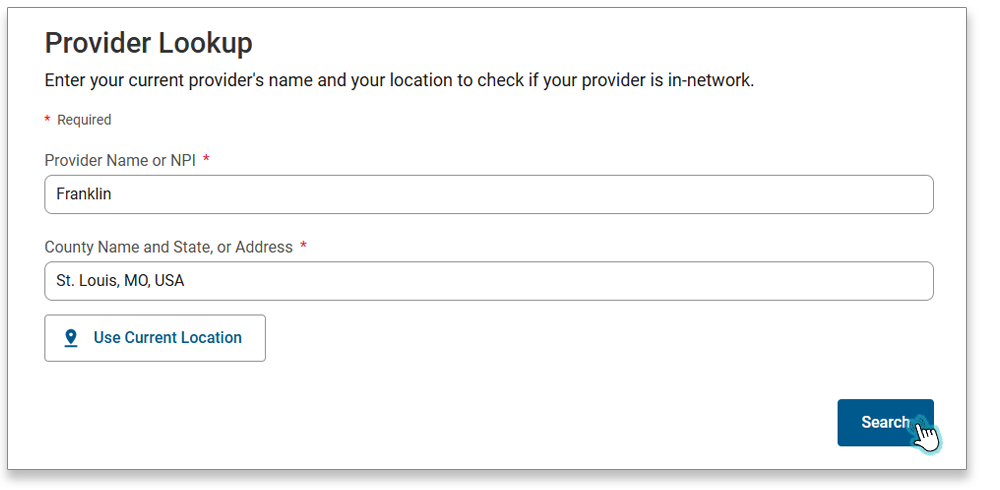
- In the Provider Lookup section, enter the Provider Name, and the County Name and State, or Address in the fields provided. Then select the Search button. During Enrollment Periods, you will also need to select a plan year.
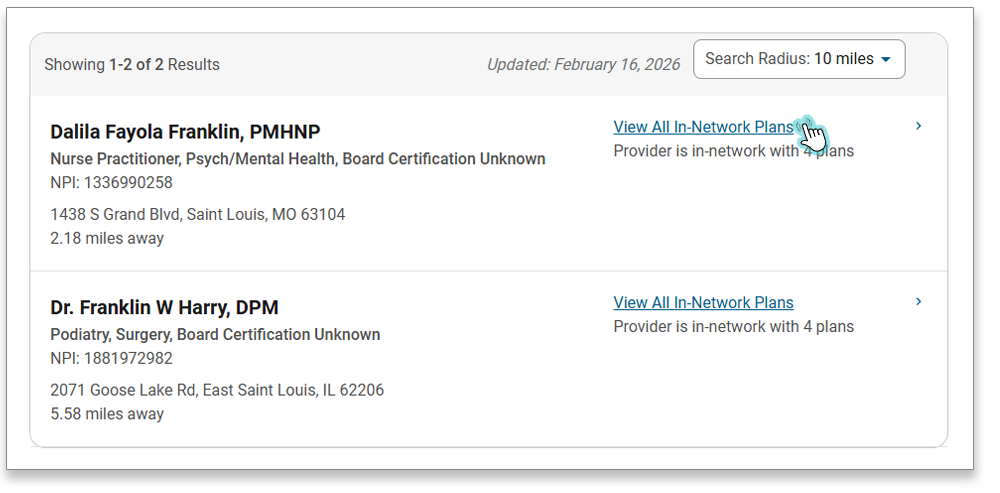
- A list of providers and their locations will appear.
- To see the in-network plans for the provider and specific location, use the View All In-Network Plans link to the right of each result.
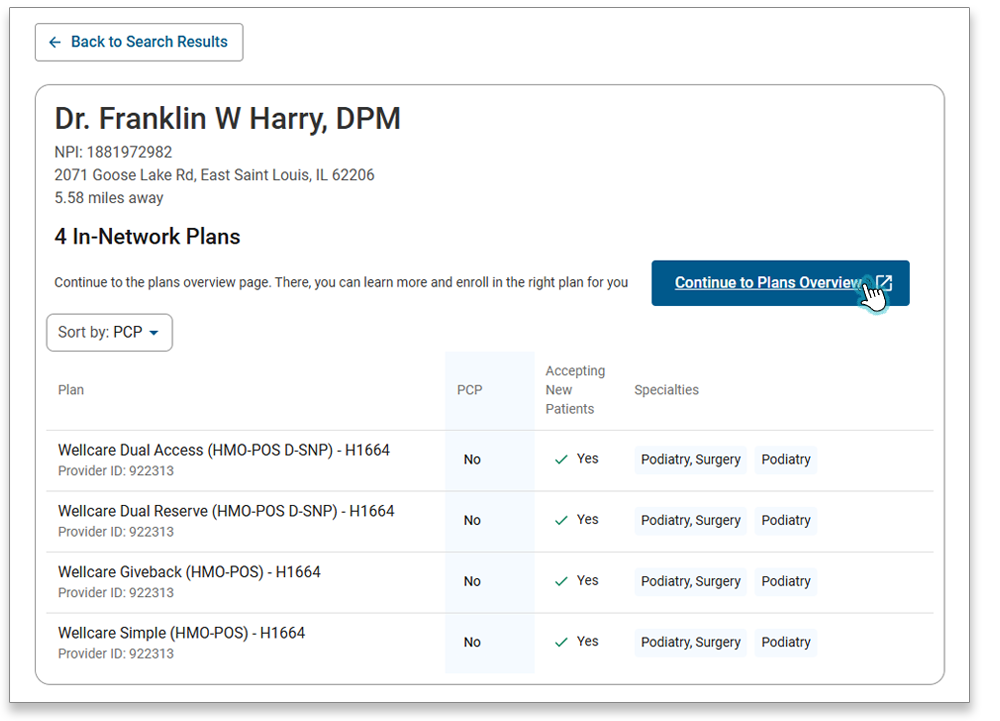
- A list of the plans the provider accepts will appear, along with whether they are a PCP, are accepting new patients, and their specialties.
- To get more information or enroll in a specific plan, choose the Continue to Plans Overview link.
- Click the Search for a Provider button in the middle card.
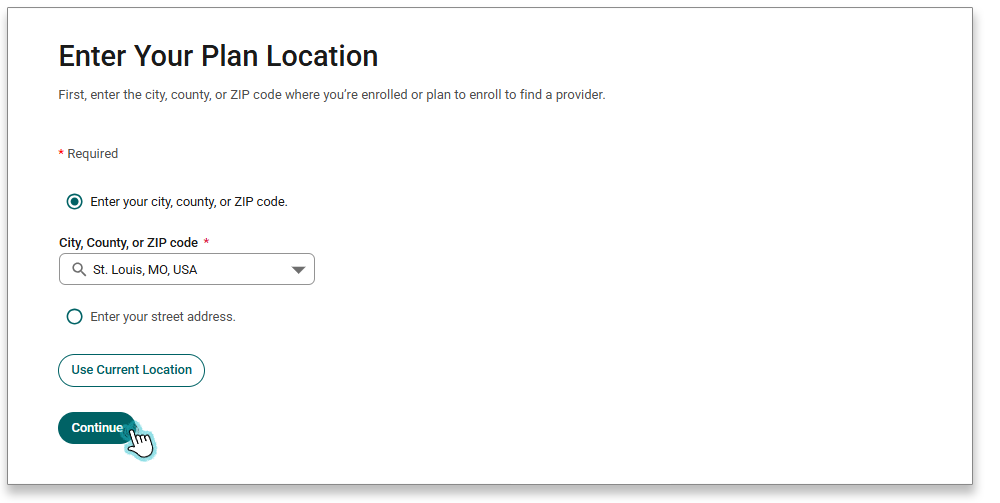
- Enter the city, county, or zip code where you are looking for a provider. And click Continue. If it is during the Annual Enrollment period, you will also need to select a plan year.
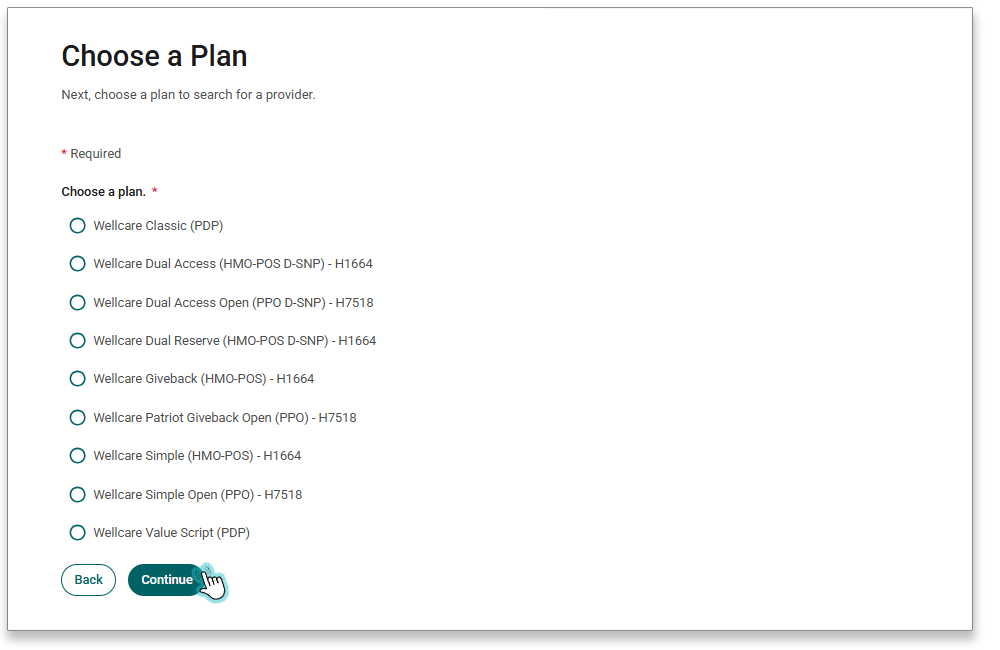
- Select your plan. Then hit Continue.
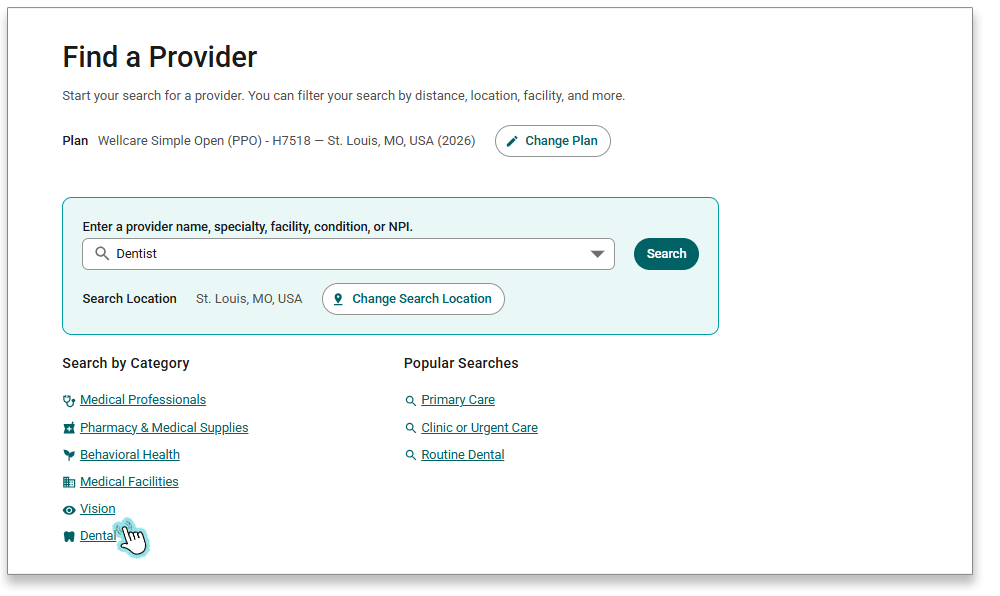
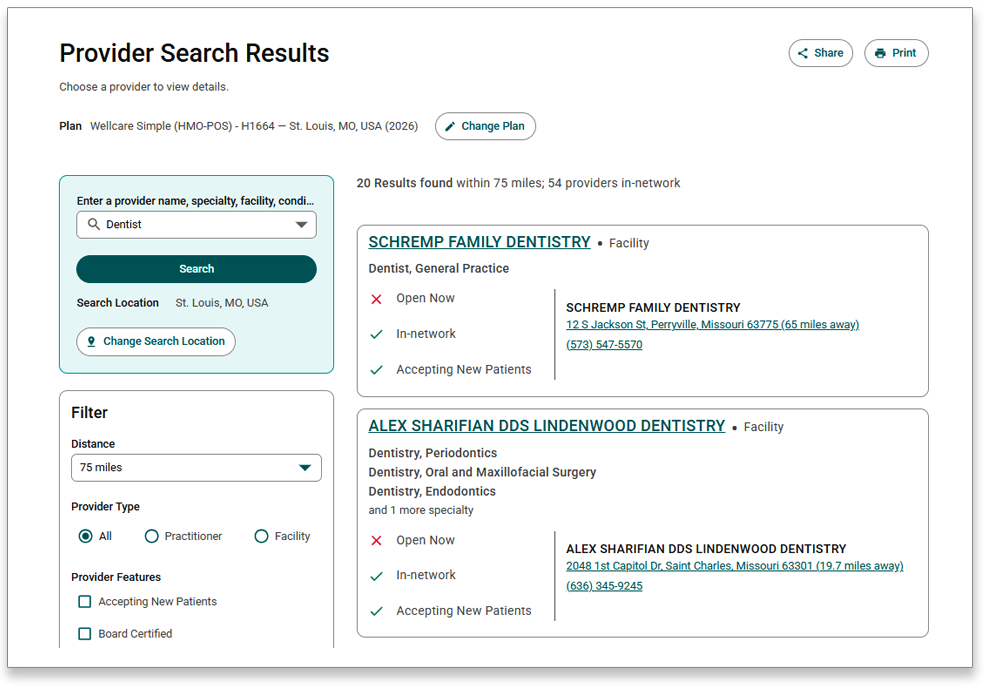
- You can either type what you are searching for, like dentist for example, or you can select a category by clicking one of the Category options.
- A list of options will appear. You will be able to see the names, locations, and more information on each option. For additional information on a specific practitioner or facility, you can click on their name to see the details page.
If you are already a member with us, the Find a Provider tool can be prefilled with your Member Information.
- Click the Enter Member Information button in the right card.
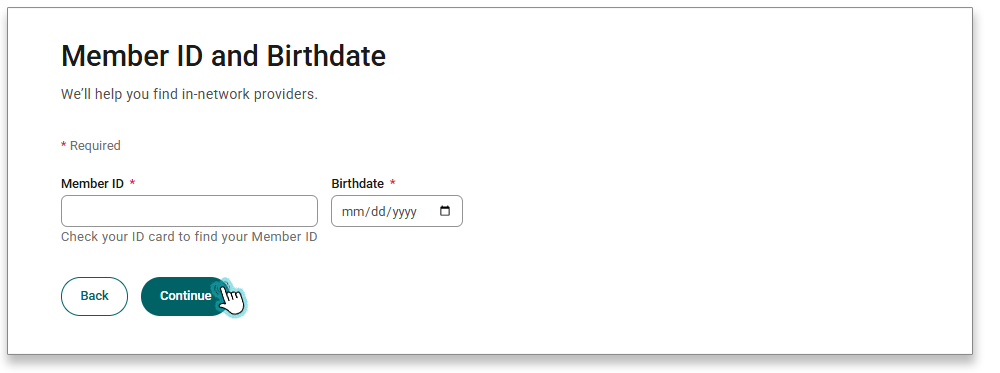
- Enter your Member ID and Birthdate. Click Continue.
- If
- Your location is known and your plan is known
- Your plan and location is prefilled, and you will be navigated to the search page.
- Your location is known and your plan is unknown
- Your location is prefilled, and you will be navigated to the plan selection page.
- Your location is unknown and your plan is known
- Your plan is prefilled, and you will be navigated to the location page.
- Your location is known and your plan is known
Do You Need to Update or Change Your Primary Care Doctor?
You can easily make this change in your Member Portal. Select "Change Your PCP" on your homepage to get started.
Or you can update your provider information by calling the Member Services number on your Member ID Card. TTY users dial 711.
We are available:October 1 - March 31
Seven days a week
8 AM - 8 PM
April 1 - September 30
Monday - Friday
8 AM - 8 PM